Verify enrolled users API
This topic describes how to verify users who have previously enrolled their face image using photo enrol or capture enrol.
note
- The generated
user_idmust be stored for validation, audit trail, and future verification. - iProov recommends storing tokens with user records to help investigate and troubleshoot problems.
- The appropriate data retention policies must be applied.
Implement the API calls
Use this sequence of API calls to verify enrolled users:
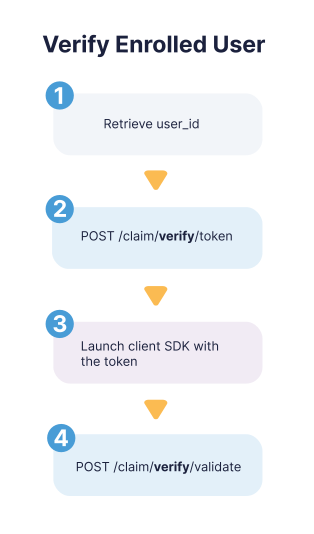
- Retrieve the
user_idfrom your customer records. It must match the one specified during enrollment. - Generate a verify token:
POST /claim/verify/token - Launch the client SDK using the token from the previous step. The user is guided through the journey using GPA or LA.
- Validate the token:
POST /claim/verify/validate- You will receive one of these GPA or LA outcomes and the failure reason where appropriate:
true,false - You must store the outcome with your user record. You cannot make subsequent calls to this endpoint with this
user_idandtokencombination.
- You will receive one of these GPA or LA outcomes and the failure reason where appropriate: